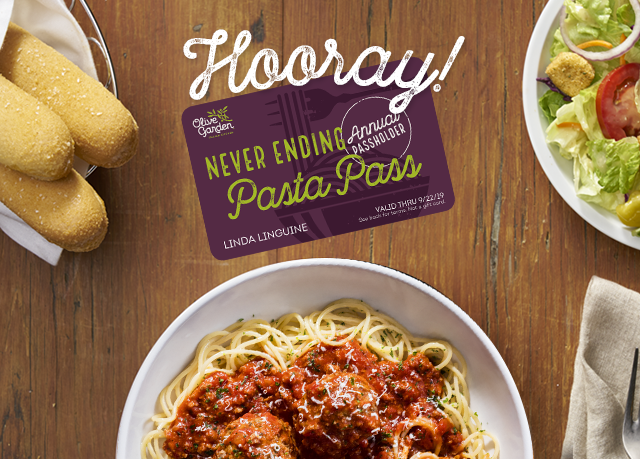
| Your Never Ending Annual Pasta Pass® is on its way! |
Get ready! Your Annual Pasta Pass will arrive in the next 3–7 business days. Enjoy unlimited bowls of your favorite pasta combinations for a whole year when Never Ending Pasta Bowl® starts on 9/24.
Track your Pass: UPS® ############### |
|
|
How to use your Annual Pasta Pass at Olive Garden
|
|
| 1. |
When you are ready to order, show your Annual Pasta Pass and photo ID to your server. |
| 2. |
Choose your pasta, sauce and topping. |
| 3. |
When it's time to pay, your server will deduct the qualifying Never Ending Pasta Bowl purchase from your bill. Pay any
remaining balance. |
| 4. |
We suggest leaving a gratuity for excellent service, as gratuity is not included with your Annual Pasta Pass. |
| 5. |
Buon Appetito! Repeat! |
|
|
| Order Confirmation: [ORDER_ID] |
| Name Printed on Annual Pasta Pass: [FIRST_NAME] [LAST_NAME] |
|
Shipped To:
[FIRST_NAME] [LAST_NAME]
[ADDRESS1]
[ADDRESS2]
[ADDRESS3]
[CITY], [STATE], [POSTAL_CODE]
|
|
|
| Questions? Visit our FAQ page or contact Olive Garden Guest Relations Monday–Friday, 10 a.m. to 4 p.m. ET at (844) 209-3484. |
|
| Your Annual Pasta Pass transaction will appear as XXXX on your bank or credit card statement. |
|
Payment Method:
CARD ENDING ([CARD_NUMBER])
|
|
|
|
Billing Address:
[FIRST_NAME] [LAST_NAME]
[COMPANY_NAME]
[ADDRESS1]
[ADDRESS2] [ADDRESS3]
[CITY], [STATE], [POSTAL_CODE]
|
|
|
|
|
|