Preheader goes here.
GET THE MOST OUT OF YOUR COMBO TOUCH
This email is full of tips and tricks to get to know your Combo Touch.
GETTING STARTED
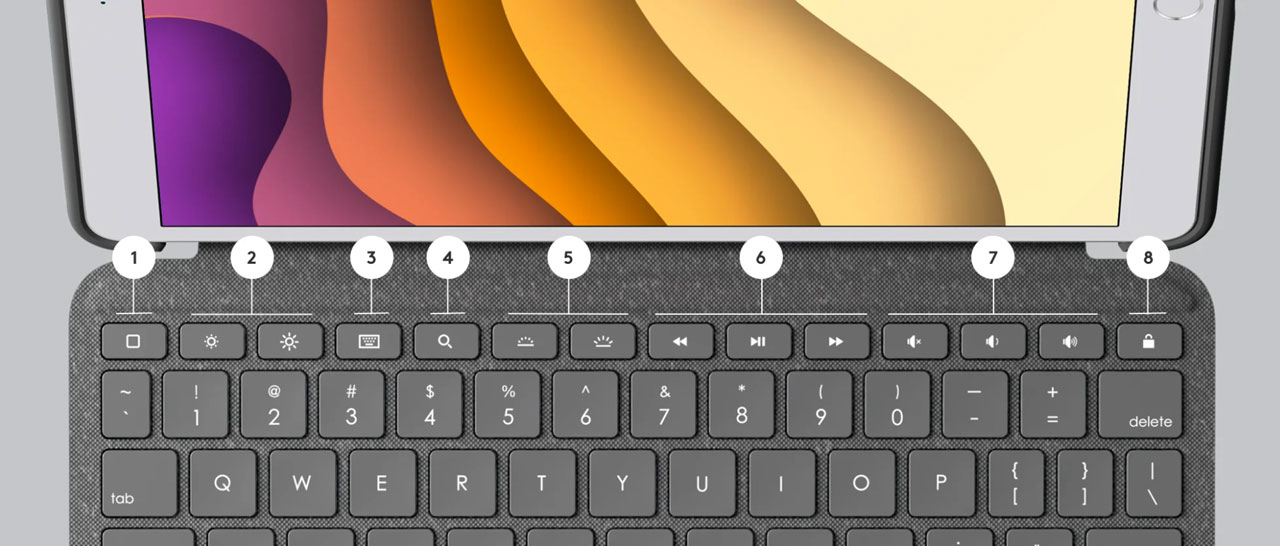
1. HOME
Go to home screen
2. Screen brightness
Adjust brightness up or down
3. Virtual keyboard
Shows/hides the on-screen keyboard
4. Search
Brings up iOS search field
5. Key Brightness
Adjust key backlighting up or down
6. Media controls
Back, play/pause, forward
7. Volume controls
Mute, volume up, volume down
8. Screen On/Off
Locks iPad screen
Four Use Modes
Typing Mode
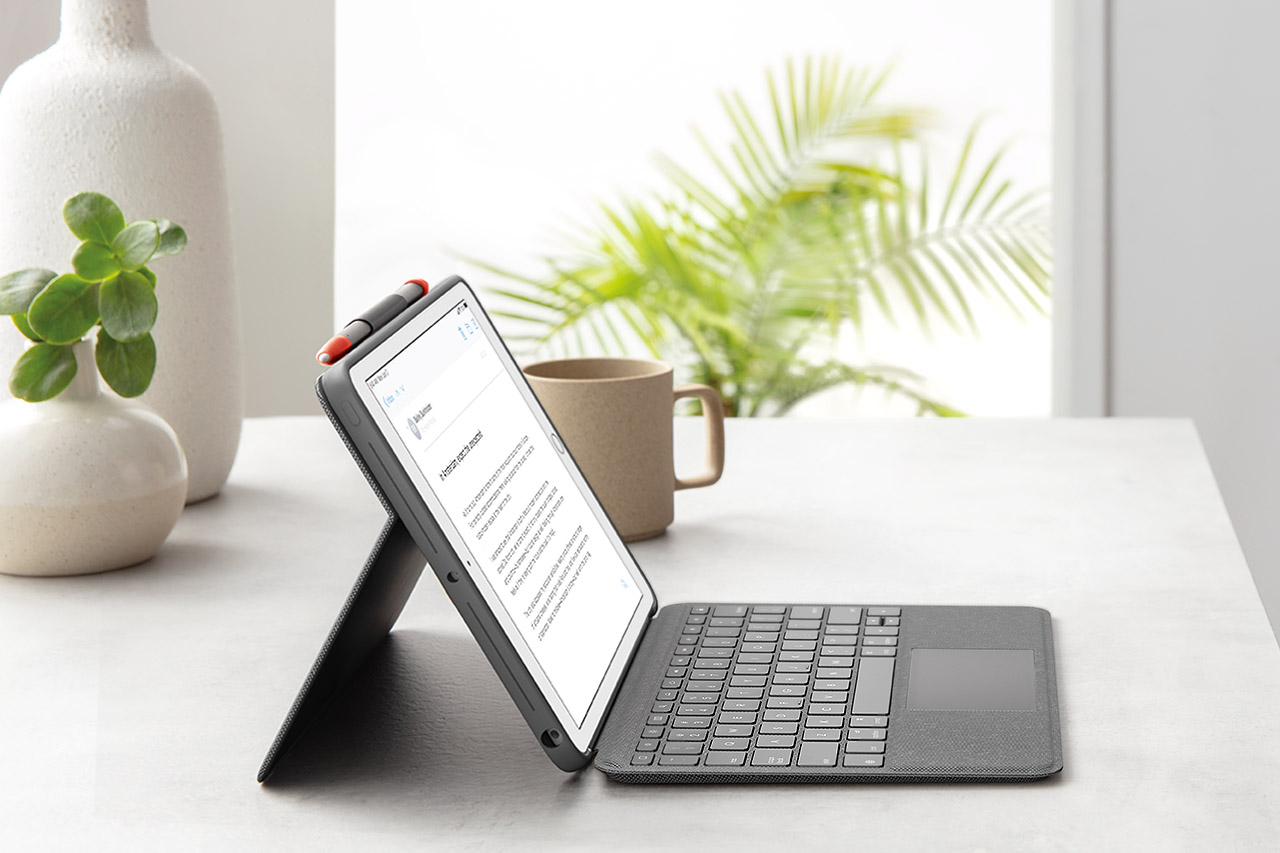
Dock the keyboard upright and pull out the kickstand to type out notes or emails.
 
Viewing mode
Detach the keyboard and pull out the kickstand for video conferences or to watch movies and TV.
 
Sketching Mode
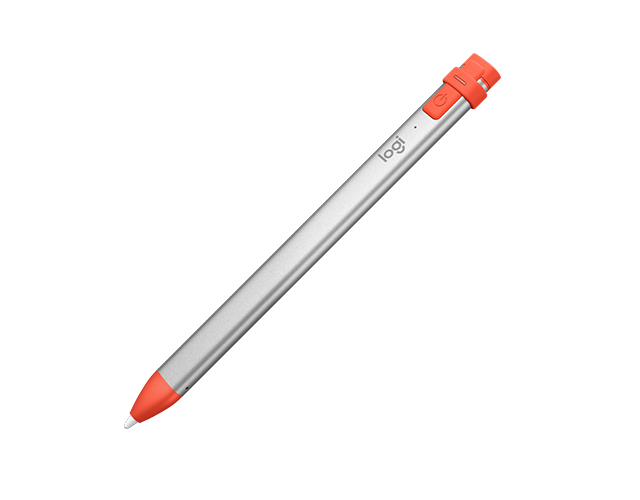
Fully extend the kickstand for the perfect angle to take notes or draw with Apple Pencil® (1st gen) or Logitech Crayon.
 
Reading Mode
Tuck the kickstand in and detach the keyboard to read books, articles, and more.
Enhance Your Creativity
Add an exciting new dimension to the way you interact with your iPad. Effortlessly annotate PDFs, balance the books, or add hand-drawn imagery to your documents.
 
CRAYON DIGITAL PENCIL
$69.99
GRAB A CRAYON
HAVE QUESTIONS?
We've got answers
SPECS & DETAILS 
FAQs
CONTACT US
 
Facebook Instagram Twitter Pinterest YouTube
PRIVACY + SECURITY
PREFERENCES
CONTACT
TERMS OF USE