SUBJECT LINES:
> Here comes the School Bus - Grab your camera & these tips
|
|
|
|
 |
|
|
 |
 |
|
be prepared:
TIPS FOR TAKING GREAT BACK TO SCHOOL SHOTS
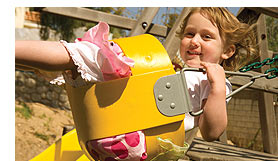
You're ready. You've got their new clothes and supplies, met their teachers and planned to send them off for another year. The first day of school is a perfect time to have that camera ready. Let our experts show you some helpful tips to get photos that shine for a lifetime.
|
|
|
|
 |
|
move up to the next level:
LIGHTING BASICS FOR BETTER PHOTOS
Improve your photos by controlling your camera's flash and taking advantage of available light in all conditions. Let us show you how to deal with light indoors & outside. Also learn how to take expert shots in low light without using your flash.
|
|
|
|
|
| |
 |
interactive tutorial:
USING YOUR CAMERA'S MANUAL CONTROLS
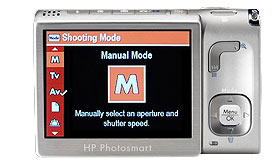
Anyone can point and shoot. But if you want to experiment, dive into your cameras manual controls. See how to take artistic and unique photos manipulating your camera's shutter speed, aperture, ISO, white balance and more. Turn on your speakers, this tutorial is rich with audio and interactive before/after shots.
|
|
|
|
|
|
|
|
 |
 |
|
|
free print-at-home projects:
SCHOOL TIME MEMORIES SCRAPBOOKING
Preserve those special "back-to-school" memories with this creative scrapbook project. Print school-themed memory pages, add your photos and decorate with special scholastic embellishments, backgrounds and photo corners.
|
|
|
 |
|
do more with your photos:
SPEND A MINUTE HERE AND YOU'LL KNOW IT ALL
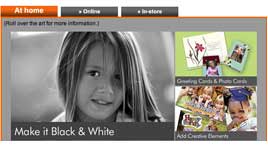
There's so much more than prints! Whether at home, online or in-store, this quick, interactive website displays the world of directions your photos can go. From books to posters you'll see it all.
|
|
|
|
|
|
|
|
|
|
free online class:
DIGITAL PHOTO TECHNIQUES
If you want to take better, more creative photos with your digital camera, this class will help. You'll learn techniques for using the creative modes found on your HP camera for the best effect. You'll get information on enhancing digital photos using HP's Real Life Technologies and find out how HP's in-camera and in-printer features take images from ordinary to extraordinary.
|
|
|
|
|
|
|
 |
|
|
New customers get FREE FLIPBOOKS*!
For a limited time, new Snapfish customers get a FREE photo FlipBook*! Plus, all Snapfish customers can save 25% on a photo gift** of your choice by using coupon code HP25SEPT7 at checkout.
|
|
|
|
|
|
|
|
 |
 |
|
save your memories:
BIG POWERFUL POSTERS
Turn those bright, sunny summer photos into Posters, Photo Books, calendars and more. You can now easily make an HP photo creation in minutes at a store where you already shop--which is then finished for you while you shop.
|
|
|
|
|
|
|
|
|
Snapfish:
Terms & Conditions: Both offers expire 10/1/07. Standard shipping and handling charges still apply.
*FREE photo FlipBook: Offer available to new Snapfish customers only. New account must be created with Snapfish using the web link above. Credit granted when photos uploaded for the first time.
**Save 25% on a photo gift: Offer available to new and existing Snapfish customers. Limited to 2 items per customer. Offer NOT valid on digital camera prints.
To ensure you receive your HP Newsgram, please add
Hewlett-Packard@us.newsgram.hp.com to your address book.
Need help? Click here.
This mailing was sent to `eMail` because you signed up to receive the HP Newsgram.
This is an ongoing mailing. To customize your HP Newsgram, please visit your preference page.
If you no longer want to receive the HP Newsgram, please click unsubscribe.
To unsubscribe from the HP Newsgram and other marketing-related communication from HP,
reply with "UNSUBSCRIBE" as the subject line.
HP is committed to respecting your privacy. For more information, visit our privacy policy or contact us at HP Privacy Mailbox, 20555 SH 249, MS 040307, Houston, TX 77070.
|
|
|
|