|
 |
| |
All about Windows Vista operating system
Let us help you make the move to Windows Vista.
|
|
|
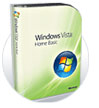 |
Choose based on your needs
All versions have robust security updates, new search capabilities and are easy to use.
Home Basic - email, Internet & document creation.
Home Premium - Cool new Aero interface, movies, photos, audio and other entertainment options.
Ultimate - All the fun of Premium version plus more power for work users - like business security, management and mobile tools.
|
|
»
See the comparison chart |
|
Whether your PC can be updated depends on when you purchased your computer
Here are some general rules of thumb to get you started.
|
|
|
|
Upgrading an existing PC is a multi-step process.
Be sure to read the instructions first.
|
|
|
|
|
 |
|
|
|
|
|
Upgrading your PC? Back up your data first.
Here are some different ways you can do it.
| Do it yourself techniques: |
 | Backing up to CDs or DVDS
These hold anywhere from 400MB to 4.7 GB of data. The only downside it that it can take many discs to capture all your stuff.
» Check out DVD drives
|
 | Using a USB-connect storage device
These hold from 80-500 GB of data (various options)
» Learn more
» Personal and Pocket Media Drives
|
 | Using a networked storage device
Big time storage, these holds as much as 1.2 TeraBytes - that's up to 500,000 photos, 16,000 hours of music or 340 hours of video
» Learn more
» HP Media Vault
|
Getting Help from HP or other experts: |
 | SmartFriend Data Migration Service
If you have a high-speed internet connnection, you can utilize this fee-based service that moves your data to HP's online storage and guides you through the process.
» Read more about SmartFriend
|
 | Retail Experts
If you purchased your PC from a retail store, they may offer the upgrade, plus data migration service.
» Find a local HP authorized retail store
|
|
|
|
|
|
 |
|
|
|
|
|
New Windows Vista Drivers for HP Printers
Windows Vista certainly comes with many drivers, but should you need to locate a specific driver here's a easy searchable way to find them.
»
HP drivers for Windows Vista
Own an HP LaserJet? - Read The LaserJet Blog
by expert Vince Ferarro on this topic.
|
|
|
|
|
|
|
|
|
* Not all Windows Vista features are available for use on all Windows Vista Capable PCs. All Windows Vista Capable PCs will run the core experiences of Windows Vista, such as innovations in organizing and finding information, security and reliability. Some features available in premium editions of Windows Vista--like the new Windows Aero(tm) user interface--require advanced or additional hardware. Check www.windowsvista.com/getready for details.
** Windows Vista Express Upgrade Offer good on eligible Vista Capable HP PC's purchased between October 26, 2006 and March 15, 2007. Proof of purchase required. All upgrade requests must be made by March 31, 2007. Subject to change without notice. www.hp.com/go/windowsvista.
Windows, Windows Vista and the Windows logo are trademarks or registered trademarks of Microsoft Corporation in the United States and/or other countries.
To ensure you receive your HP Newsgram, please add
Hewlett-Packard@us.newsgram.hp.com to your address book.
Need help? Click here.
This mailing was sent to 'eMail' because you signed up to receive the HP Newsgram.
This is an ongoing mailing. To customize your HP Newsgram, please visit your preference page.
If you no longer want to receive the HP Newsgram, please click unsubscribe.
To unsubscribe from the HP Newsgram and other marketing-related communication from HP,
reply with "UNSUBSCRIBE" as the subject line.
HP is committed to respecting your privacy. For more information, visit our privacy policy
or contact us at HP Privacy Mailbox, 20555 SH 249, MS 040307, Houston, TX 77070.
|
|
HP Privacy Mailbox, 20555 SH 249, MS 040307, Houston, Texas 77070, ATTN: Member Services
|
|





















 If you don't want to do it all by yourself, you can