Projects Online classes Support Printer supplies Outlet Online shopping
HP Newsgram restoring memories: preserve & protect your photos - You've seen the HP Photo Restoration Team save damaged photos for families affected by Hurricane Katrina.  Now you can follow the same methods to preserve & protect your photos.
1 » Create a Digital Backup by Scanning
Family photographs are treasured memorbila. You'll want to protect these valuable items to ensure future generations will be able to enjoy them. The first step is to create a digital backup.
2 » Restore and Repair
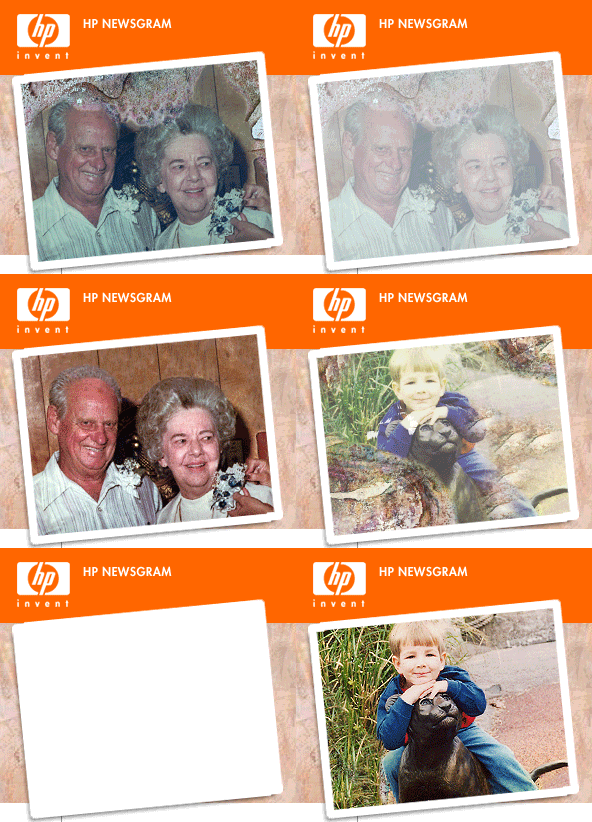
Time can wreak havoc on your photos. Reverse the clock and restore your prints to their former glory with these proven techniques.
3 » Organizing Your Digital Photos
Now you've backed up your prints, it's time to organize them. This will allow you and others to quickly and easily find them.
4 » Have a Photo Storage Plan
For your digital photos, many options exist like CD, DVD or online. Snapfish is a popular online option that offers 30 free digital camera prints and two free rolls of film developing, for new users.*
5 » Preserving Photos & Preventing Fade
Lastly, learn some quick tips on how to keep the bright sun from fading your brilliant prints.


EHMO.gif
Brilliantly Simple
Award-winning HP service & support
» Software & Driver Downloads
» Support & Troubleshooting
» Chat Support for HP Products
» Email Support in as fast as 1 hour
Shop where and when you want:
Call : 1-888-917-8097
Click : www.hpshopping.com
Visit : Over 15,000 retail locations
Forward to a friend Update your preferences Change your e-mail Privacy policy Unsubscribe
* Offer valid for new Snapfish customers only.

To ensure you receive your HP Newsgram, please add Hewlett-Packard@us.newsgram.hp.com to your address book. Need help? Click here.

This mailing was sent to 'eMail' because you signed up to receive the HP Newsgram. This is an ongoing mailing. To customize your HP Newsgram, please visit your preference page. If you no longer want to receive the HP Newsgram, please click unsubscribe. To unsubscribe from the HP Newsgram and other marketing-related communication from HP, reply with "UNSUBSCRIBE" as the subject line.

HP is committed to respecting your privacy. For more information, visit our privacy policy or contact us at HP Privacy Mailbox, 20555 SH 249, MS 040307, Houston, TX 77070.

HP Privacy Mailbox, 20555 SH 249, MS 040307, Houston, Texas 77070, ATTN: Member Services