| Set up custom alert zones |
|
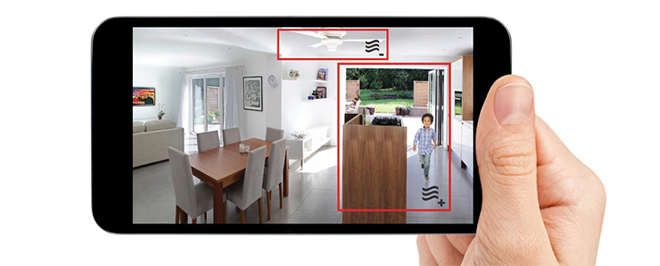
| Let your camera know where it should pay special attention, like doors and windows, and where it should ignore background motion, like ceiling fans, to avoid false alarms. |
|
| |
| 1. |
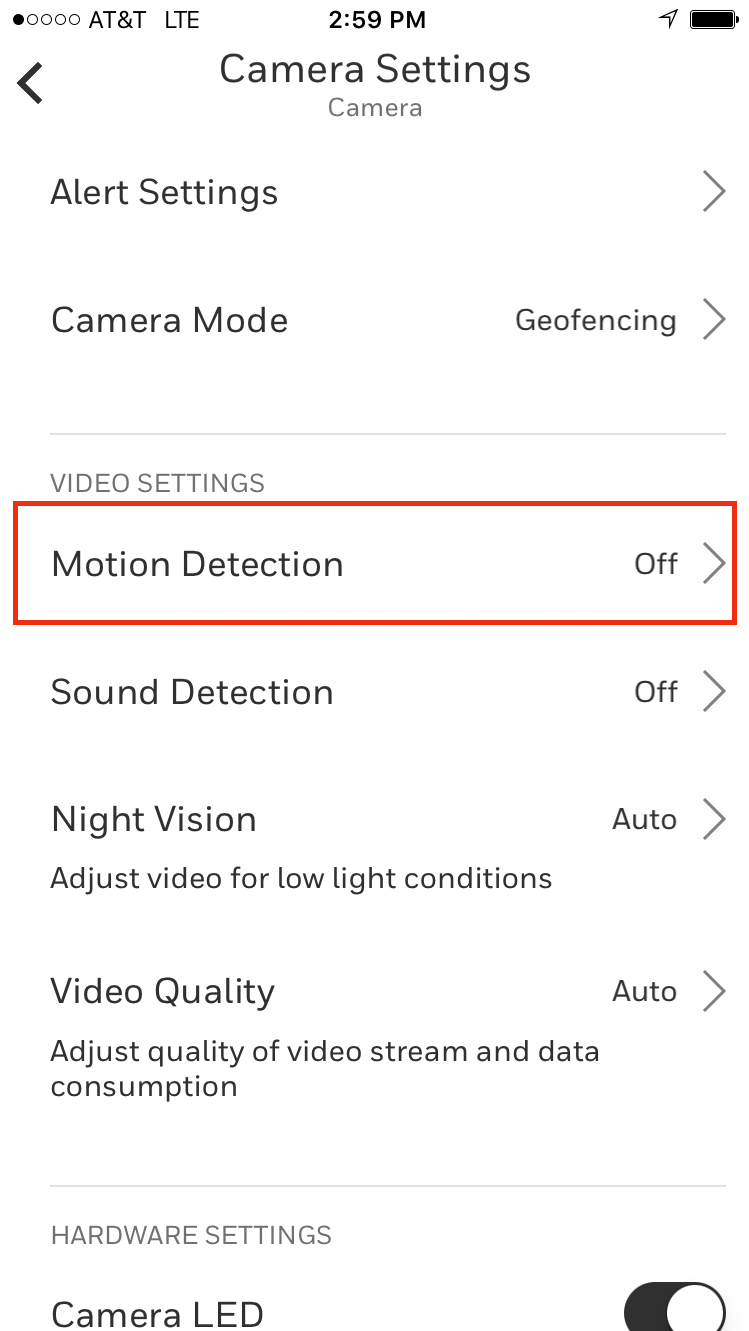
| Turn on Motion Detection |
| Tap the settings icon on your live feed screen, and select the motion detection button |
|
|
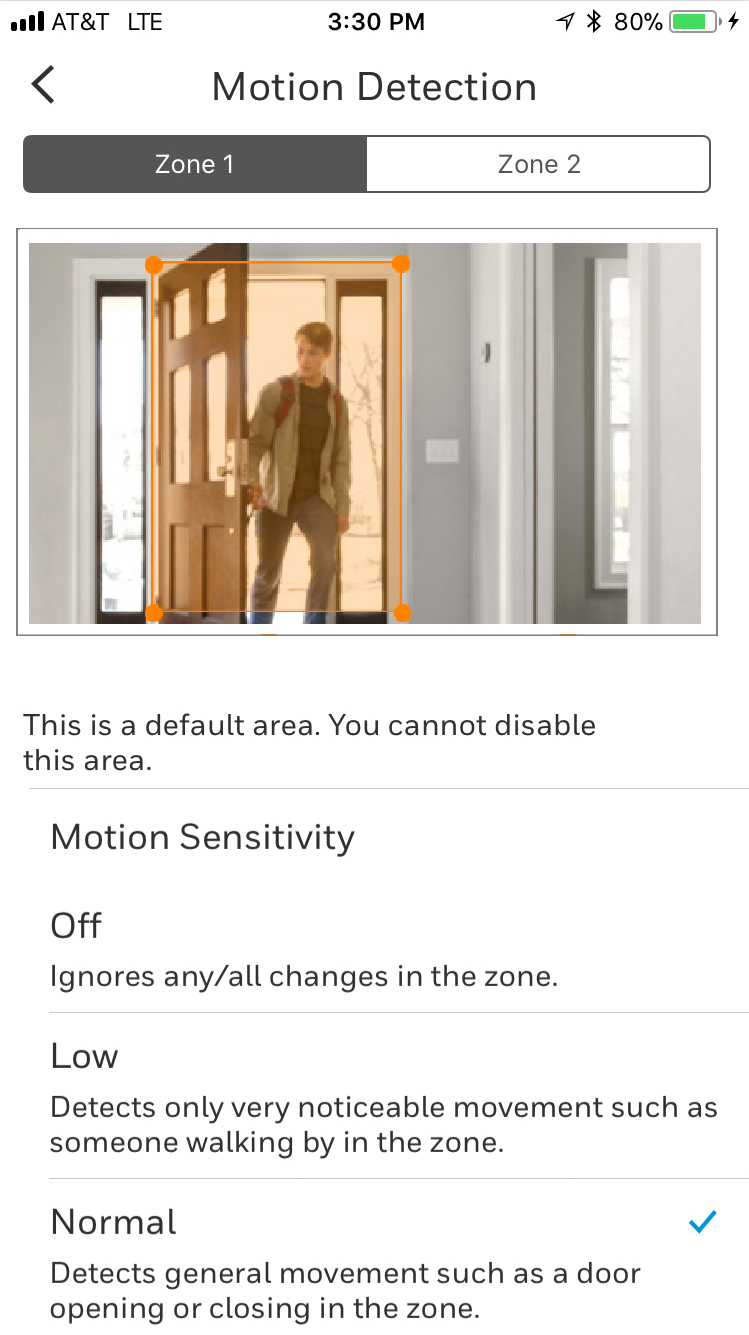
| Select Zone [1 or 2][1, 2, 3 or 4], then tap and drag the image to select the area |
|
|
|
|
|
|
|
|
|