| Getting started is easy! |
| Set up your water leak detector in a few simple steps. |
|
| The best spot for your water leak detector |
|
| Get the best results from your device by hanging it in leak-prone areas, just above where it might be submerged in case of a leak, or laid flat. Make sure the sensor cable has good contact with the floor. |
|
|
|
| ›
|
For easy reference, give each device's location a unique name in your app. |
|
|
| Manage your alert settings
|
|
| It's easy to change your detector's default alert settings in your app. You can decide how, and how often, each device sends temperature and humidity reports—especially useful for rooms with showers and dishwashers that may trigger alerts. |
|
| |
| Change your Temperature Alerts |
|
| Change your Humidity Alerts |
|
|
|
|
|
|
| Add users so they can get alerts |
|
| Your water leak detector can alert family members to possible water issues when you add them as users on your account.
|
|
| |
|
|
| 1. |
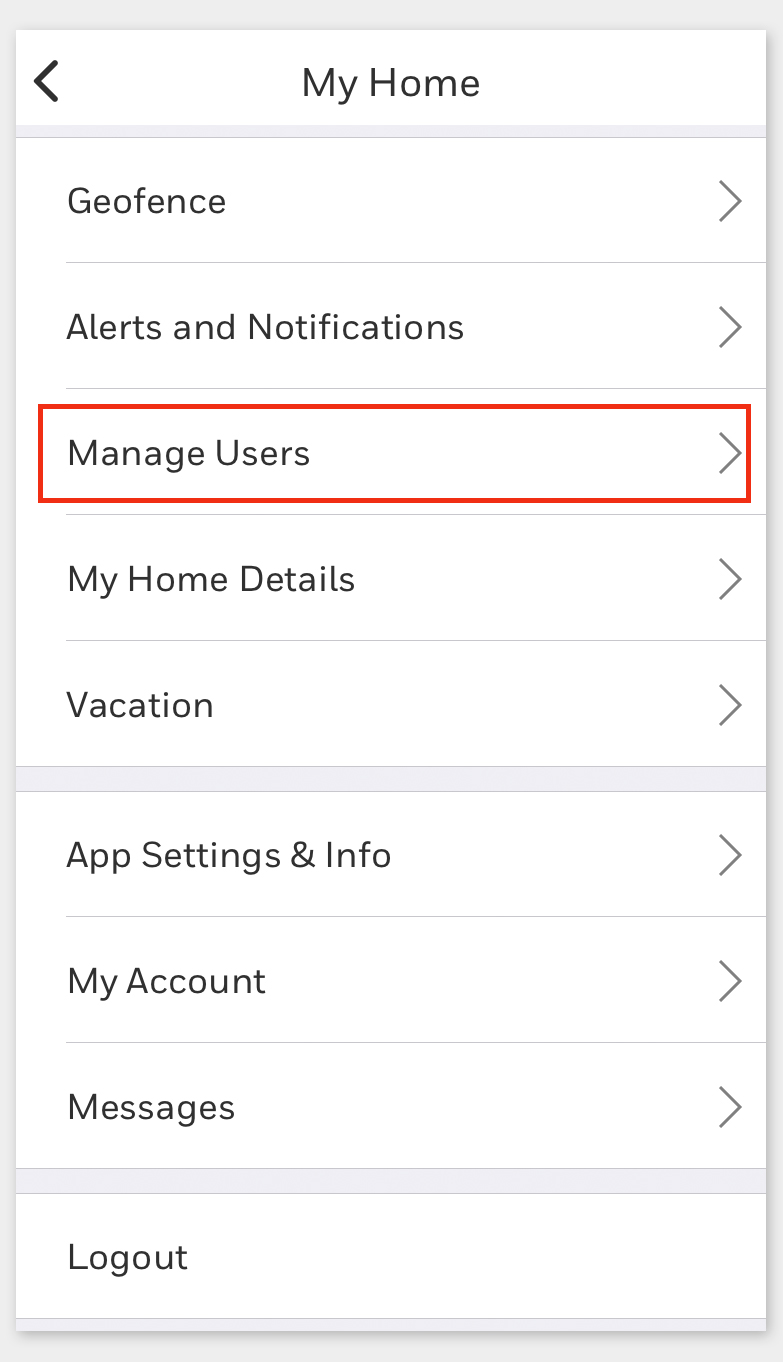
Select Manage Users |
| |
Open the app and use the main menu |
| 2. |
Select Add User |
| |
Found on the bottom of the Manage Users screen |
| 3. |
Enter user emails |
| |
Each user will get a message on how to begin |
|
|
|
|
|
|
|
|
| ›
|
Add trusted friends, neighbors, or contractors as users in your app so they can take action after alerts, even when you are away. |
|
|
| Make sure your water leak detector is protected from unauthorized access. Follow the prompts or use your app settings to create a security PIN or use fingerprint access for your Honeywell Home app. |
|
|
|