| Getting started is easy! |
| Set up your thermostat in a few simple steps. |
|
| |
| 1. |
| Select Alerts and Notifications |
| Open the Honeywell Home app and use the home page
|
|
|
 |
† |
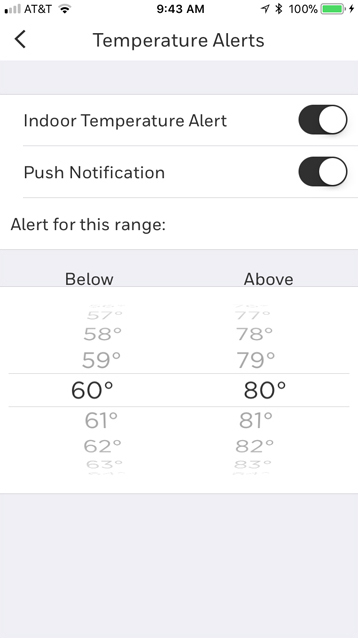
| Select your alert types and temperature ranges |
|
|
|
|
|
|
|
| Take quick action with alerts
|
|
| It's easier to avoid discomfort and know when your systems need maintenance with app alerts. You'll know if your pipes are likely to freeze, or when your AC is failing and you need to schedule a pro. |
|
|
|
|


