|
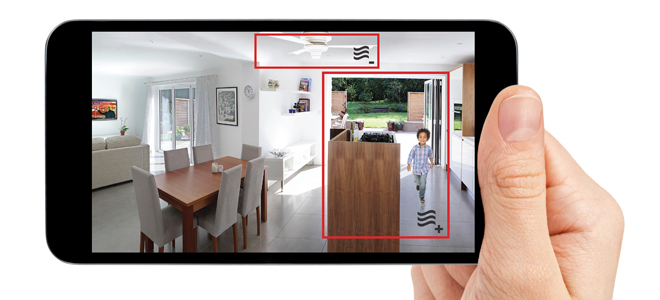
| Customize your camera with alert zones
|
| Keep an eye where you want it most
|
| Your C1 camera allows you to select and monitor sensitive areas. Just tap the upper left menu button in your Lyric app, select your camera, and open the Motion Detection Tab. There you can set your alert zones and manage motion detection levels to avoid any false alarms. |
|
| |
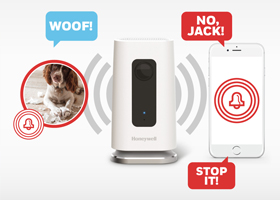
| Grab the attention of whoever's at home |
| Take immediate action with your camera's two-way audio function. Just press the Push to Talk button and speak through the camera thanks to unlimited 90-second livestream sessions. |
|
|
|
|
| Connect with the Honeywell community
|
| We can share energy-saving tips with you along the way |
|
|
|
|